9 Best AI CRM Software in 2026: Tested & Compared
Firsthand tests of AI features, pricing, MCP support and real-world usefulness

Looking for the best AI CRM software for your sales team?
As co-founder of Salesflare, building an intelligent CRM for more than a decade, I tested 9 of the top CRMs with intelligence features firsthand and compared what actually helps in daily sales work.
I obviously have a point of view here. That is why I keep the testing notes below very concrete, disclose my own involvement, and add independent G2 review scores next to my conclusions.
Quick answer: I would pick Salesflare for a small or medium-sized B2B sales team that wants less CRM admin and AI grounded in automatically captured customer context; HubSpot for an all-in-one business platform; Salesforce for a deeply customizable enterprise stack; Pipedrive for a straightforward sales pipeline; Zoho for breadth at a lower enterprise-style price; Nutshell for a simple small-business CRM with AI assists; Freshsales for scoring and deal insights; Streak if your work lives almost entirely in Gmail; and Dynamics 365 Sales for Microsoft 365 teams that want a configurable CRM with Copilot.
Which AI CRM should you choose?
| AI CRM | Best for | Why its AI is useful | Main trade-off |
|---|---|---|---|
| Salesflare | Small and medium-sized B2B sales teams that want less CRM admin | Automatically captured customer context supports email writing, timeline summaries and next-step suggestions | Purpose-built for B2B relationship sales; less suited to high-volume, transactional B2C sales |
| HubSpot | Teams combining sales, marketing and service | Breeze and CRM summaries work within a connected customer platform | Higher plan costs, onboarding and usage credits can add up |
| Salesforce | Enterprises needing deep customization and governance | Einstein and Agentforce can support tailored sales processes | Requires substantial configuration, good data and a larger budget |
| Pipedrive | Sales teams wanting a straightforward visual pipeline | Email tools and report creation add conveniences to pipeline management | AI was a light convenience layer in my tests, with limited email personalization |
| Zoho CRM | Teams wanting broad functionality at a lower enterprise-style price | Zia adds enrichment, predictions and automation suggestions | More configuration and manual steps; useful predictions depend on sufficient data |
| Nutshell | Small businesses wanting summaries and writing assistance | Timeline and meeting summaries help catch up; suggested replies help start an email | Noisy timeline data affected summary quality in my tests |
| Freshsales | Teams prioritizing lead scoring and deal insights | Freddy uses sales activity to highlight engagement and deal trends | Some insights were difficult to trigger or verify in my tests |
| Streak | Gmail-centric teams wanting CRM and AI inside their inbox | Deal summaries and Q&A help review conversations without leaving Gmail | AI was slow and sometimes unreliable in my tests |
| Microsoft Dynamics 365 Sales | Microsoft 365 teams needing a configurable sales CRM | Copilot summarizes records, prepares meetings and helps draft emails | Useful AI depends on well-maintained data, licenses and configuration |
AI connectivity, pricing and reviews
| AI CRM | MCP? | ChatGPT directory? | AI-capable pricing* | G2 rating |
|---|---|---|---|---|
| Salesflare | Yes | Yes | From $29/user/month; listed AI included | 4.8/5 |
| HubSpot | Yes | Yes | Sales Hub Pro from $90/seat/month + onboarding; credits included | 4.4/5 |
| Salesforce | Yes | Yes | Enterprise from $175/user/month; AI add-ons can cost more | 4.4/5 |
| Pipedrive | Yes | Yes | Premium from $59/seat/month annually | 4.3/5 |
| Zoho CRM | Yes | Yes | Enterprise from $40/user/month annually | 4.1/5 |
| Nutshell | Yes | No | Business from $59/user/month annually | 4.3/5 |
| Freshsales | No | No | Pro $39; Enterprise $59/user/month annually; agent usage extra | 4.5/5 |
| Streak | Yes | Yes | Pro+ $69/user/month annually incl. 150 AI credits/user | 4.5/5 |
| Microsoft Dynamics 365 Sales | Yes | No | Enterprise $105/user/month annually; usage charges can apply | 3.8/5 |
*Pricing shown is the practical plan level used in this comparison, generally billed annually. It is not always the cheapest advertised CRM plan.
About MCP: Eight of the nine CRMs in this comparison currently offer MCP support; Freshsales is the exception. I list ChatGPT app-directory availability separately, because having an MCP and being listed in ChatGPT are not the same thing. Nutshell, Freshsales and Dynamics 365 Sales are not listed in the ChatGPT app directory.
How I Compared These AI CRMs
A few important disclaimers before digging in:
- This research is part of our effort at Salesflare to build useful applications of AI into our CRM in a thoughtful way. That means I am informed, but not neutral.
- A lot of intelligent features marketed as “AI” do not necessarily need modern AI technology. I still include them when they are useful, because the value matters more than the label.
- I care a lot about the quality and completeness of the CRM data underneath the AI. An impressive model cannot create reliable sales context out of a mostly empty database.
- For pricing, I compare the plan that gives you the relevant professional CRM and AI functionality, including obvious required onboarding, support or usage costs where applicable.
The 9 Best AI CRMs + Their Current Sales AI Features
These are the nine CRMs I put to the test:
- Salesflare
- HubSpot CRM + Sales Hub
- Salesforce Sales Cloud
- Pipedrive
- Zoho CRM
- Nutshell CRM
- Freshsales
- Streak
- Microsoft Dynamics 365 Sales
Read on for what I actually found while using them. 👇
1. Salesflare
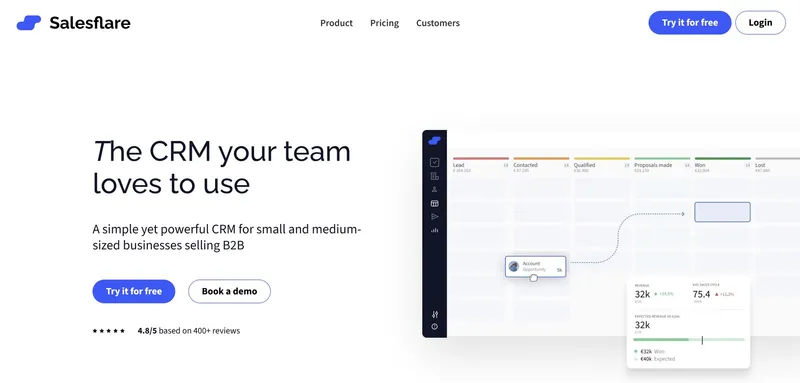
Best for: Small and medium-sized B2B sales teams that want less CRM admin and AI grounded in automatically captured customer context.
Main trade-off: Purpose-built for B2B relationship sales; less suited to high-volume, transactional B2C sales.
My co-founder and I started Salesflare in 2014 after trying multiple CRMs to track our sales.
Every CRM we tried forced us to input a lot of information for us to be able to track things, which just didn’t work for us. Then we saw that most of that information was already available somewhere: in our emails, calendar, socials, tracking, … Our only job was to gather and organize it. Sounded simple, right?
We’ve spent the last decade doing exactly that: making it effortless to track your sales by making sure our B2B sales CRM fills itself semi-automatically and by offering it to you in a super easy interface that is integrated deeply anywhere you connect with customers (Gmail, Outlook, LinkedIn, …).
Our goal from the start has been to progressively automate sales work so people can focus on human relationships. This direction long predates generative AI: our 2017 investment deck described that vision and roadmap.
We figured that the basis for good AI is good data. Salesflare automatically captures contact details, connected emails and meetings, relationship history and engagement signals first. Its AI can then use that context to write emails, summarize timelines and suggest next steps. You can also use those summaries and ask questions about the relationship to prepare for a meeting, without piecing the history together yourself.
Most of what Salesflare does is not using AI technology today, because AI simply didn’t do a better job than our data algorithms. We’ve however started adding AI in some core areas, on top of the foundation that has been laid.
And, again, in the spirit of my second disclaimer above: what’s important is that the features are useful, not what technology they are built on.
You’ll also notice that we don’t currently give our intelligent features a separate name, as they are embedded deeply into the product in different places. They are not presented as a separate entity but as an integral part of Salesflare.
Features & Testing
Now, here are some intelligent features Salesflare can offer you today:
- Suggested accounts: Salesflare detects which companies you’re in touch with. When they seem to be important, it enriches them with company data and suggests adding them to the CRM.
- Suggested contacts: The CRM keeps track of which contacts you’re in touch with, imports all the contact info present in email signatures and publicly available sources, and suggests you add them to the relevant accounts. That way you don’t have to think “CRM” every time you meet someone.
- Summarize timelines, suggest next steps, and answer any question: Salesflare can summarize a client’s timeline with AI. It can also suggest the best next steps or answer any more specific question you may have about the timeline, company, contacts, or anything related to it.
- Follow-up reminders: Salesflare reminds you to follow up whenever you’re forgetting to do so.
- Email reply reminders: If an email from a lead or customer does not get replied to or handled otherwise, Salesflare detects this for you.
- Meeting note reminders: Whenever you’ve had a meeting with a customer, Salesflare reminds you to add a note to it, so everything stays perfectly up to date.
- Relationship intelligence: Salesflare continuously measures the strength of your team’s relationships. You can identify who knows whom best at a certain company, to make sure you always know the right way in.
- Lead scoring: Salesflare automatically keeps track of every interaction you’re having with a lead or customer. If they start engaging more with you (e.g. opening emails, browsing the website, …) the account will be marked as “hot” or “on fire” live. This can be a good sign that it is the right moment to reach out.
- Data enrichment: I mentioned it a few times already above, but to be complete: Salesflare enriches every contact and company with every piece of information it can find in your own emails, meetings, … but also in publicly available info so you don’t have to input all that. No manual clicks needed.
- Write emails: Salesflare can write emails that take into account the full history you’ve had with a contact, background info on you and your company, all data available on accounts, contacts and opportunities, … (a ton of context) as well as your personal way of writing emails.
- Work with your CRM from ChatGPT or Claude via MCP: Since my original hands-on testing, Salesflare has added an official MCP server. This lets compatible AI assistants securely look up CRM context and, depending on permissions, take actions such as creating tasks or updating records.
We’ve got way more intelligent features coming your way soon, both in terms of data improvements and AI additions. I plan to add them to this overview as they go live!
MCP / external AI assistants
Yes. Salesflare offers MCP support and is listed in the ChatGPT app directory. It can expose CRM data and actions such as searching accounts, reviewing timelines, creating tasks and updating records. See the setup instructions.
Pricing
Salesflare offers all listed intelligent features on its cheapest plan, called “Growth,” starting at $29/user/month.
For the sake of comparison beyond intelligence features, the price of Salesflare’s Pro plan is:
- $49/user/month (billed annually)
- $64/user/month (billed monthly)
Independent review score
On G2, Salesflare currently scores 4.8/5. See the G2 reviews.
Verdict
Salesflare is my pick for B2B sales teams that want AI to work from rich, automatically collected relationship data instead of from a mostly manual database. Its strongest advantage is not a separate chatbot; it is the amount of useful context the CRM already has before AI is applied.
2. HubSpot CRM + Sales Hub
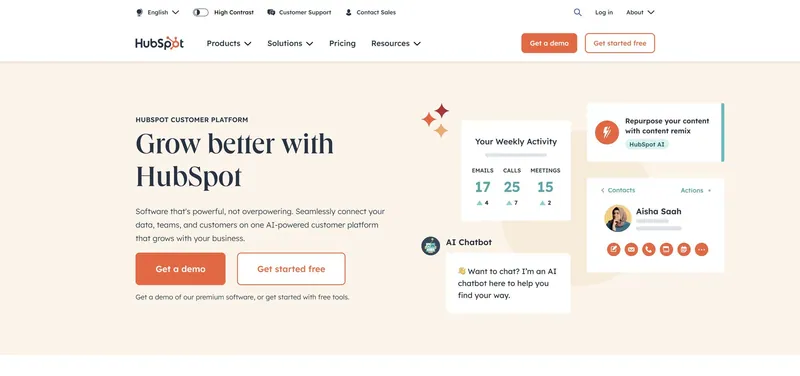
Best for: Teams that want sales, marketing and service software together in one broad platform.
Main trade-off: Higher plan costs, onboarding and usage credits can add up.
HubSpot offers an all-in-one business platform with a CRM at its core.
The company has lately been going all in on AI – at least, that’s what you hear when you join their earnings calls with investors – so their software was the first one I tried in this AI CRM journey.
HubSpot first called its AI assistant “ChatSpot,” probably because the main proposition was that it’s a chat interface for HubSpot, but it’s since been rebranded as “Breeze” to highlight a broader focus.
In my exploration, it did seem that a lot of the functionality was still under development. Also, as HubSpot tries to power more different departments in a company, it’s important to keep in mind that I only tested features that are built for the sales team.
Features & Testing
Here are the intelligent features HubSpot offered and my experience with them:
- Chat interface: Breeze (formerly ChatSpot) essentially offered a sort of light ChatGPT for HubSpot. To be able to understand its capabilities, they offered some prompt templates in a library. I tested it for a while by checking the different templates. As I mentioned previously, despite the current hype, I don’t believe chat interfaces will replace visual interfaces, except in specific use cases, on the go, or when the normal user interface is unnecessarily overcomplicated. In the latter case, it may be better to fix the visual interface itself. Also, the assistant is not great at anything beyond information retrieval. It for instance thought “HubSpot” was my best lead (yes, the dummy account). When asked why it said that their high revenue was “a strong buying signal”.
- Summarize timelines: HubSpot made this possible on companies, deals, contacts, and tickets. It worked relatively well and it seemed like a handy feature when conversations with customers and leads become longer than usual. It had some of the most useful summarization I got to test so far. I however didn’t like too much how slow it was at writing the summary.
- Draft emails: HubSpot promised to generate personalized emails based on some directions I gave it. In my tests, it didn’t use any of the info in the CRM about the recipient, nor did it try to match my personal writing style, which was a disappointment. Because of this, I would probably keep using ChatGPT instead. Also, I couldn’t find how to do it from the contact record itself, which baffled me.
- Find new company leads by specifying a few criteria: I performed a few searches and it returned very little data. Confusingly, one search I did returned only one company called “The Feedback Firm,” but when I clicked towards their website and Googled their name, the company didn’t exist nor had it ever existed (or at least not publicly). Was this a hallucination of the AI or a flaw in their data?
MCP / external AI assistants
Yes. HubSpot offers MCP support and is listed in the ChatGPT app directory. Its MCP access can let compatible AI tools work with CRM objects and activities. See HubSpot’s MCP documentation.
Pricing
HubSpot CRM + Sales Hub offers a starter pack of “HubSpot credits” as part of its paid plans.
You can buy extra packages to get more AI functionality in different sizes, ranging from $45 to $900 extra per month.
Note that data enrichment on contact and company records also uses 10 “HubSpot credits” per record.
HubSpot’s pricing on the Sales Hub Professional plan was:
- $90/seat/month (billed annually)
- $100/seat/month (billed monthly, but with annual commitment)
+ an extra required fee of $1500 for onboarding
Independent review score
On G2, HubSpot CRM + Sales Hub currently scores 4.4/5. See the G2 reviews.
Verdict
HubSpot is the strongest fit here if you already want its wider all-in-one platform. Some of its AI features were genuinely useful in my tests, especially summarization, but I found others less differentiated from standalone AI tools, and the total cost rises quickly as you need more advanced functionality.
3. Salesforce Sales Cloud
Best for: Larger enterprises that need deep customization, a broad AI ecosystem and are willing to invest in setup and governance.
Main trade-off: Requires substantial configuration, good data and a larger budget.
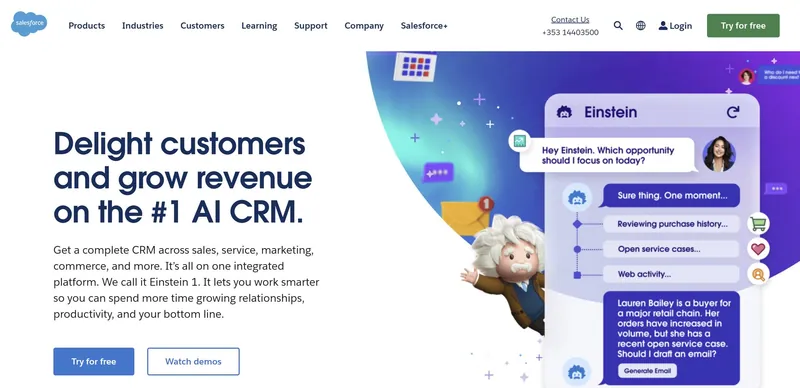
Salesforce has been touting its AI features for years. It has been doing this at least since 2014-2015 when it bought the company “RelateIQ,” rebranded it to “SalesforceIQ,” and positioned it at the heart of its “Einstein” offering, featuring a little avatar that resembles the actual Albert Einstein. (I’m honestly not sure how he would have felt about that if he were still alive, but that seems like a topic for a whole other article.)
In March 2023, just over four months after ChatGPT was launched, Salesforce announced “Einstein GPT, the world’s first generative AI for CRM”. (It’s been recently rebranded as “Einstein 1 GPT”.)
Since then, the company’s homepage has been focused on AI, stating things like “Delight customers and grow revenue on the #1 AI CRM”.
For those who don’t know Salesforce, it is indeed the #1 CRM in the world in terms of market share, mostly fueled by its popularity with big enterprises that have deep pockets. Whether it’s also the #1 in AI is of course another question.
So I went in to test it out.
Features & Testing
It was honestly not that easy to find out what Einstein GPT for Sales (or “Einstein” or “Sales GPT” or “Einstein Copilot”) had to offer concretely to sales teams. There was a lot of marketing material to find, but little concrete substance that could be derived from it. To discover the details, I had to first dig deep into the support documentation.
Here are the intelligent features Salesforce offered and my experience with them:
- Data enrichment: Salesforce positioned data enrichment as a feature within its Einstein offering. While it’s a bit deceptive to position it as an AI feature, good data is crucial to delivering good AI, so it does make sense in a way. The type of data enrichment did seem pretty lightweight, however, and it would definitely not suffice as a good basis for further AI work. For more data enrichment, you’d need “Data Cloud” plus integrations, but I obviously didn’t go that far.
- Call summaries, exploration, signals & insights: A lot of functionality that Einstein GPT offered seemed to be related to calls and meetings. This makes sense: those are features you can add rather quickly without touching the core functionality of the CRM. This does beg the question of why you wouldn’t use a specialized tool for this, like Gong or one of its many competitors, as these companies have been perfecting the functionality for years. This was confirmed by my tests, in which the quality of Salesforce’s capabilities was rather average.
- Draft emails: The pro of this Salesforce feature was that you could write your own system message (later complicated to “prompt templates” and “guardrails”) to personalize the emails consistently, which was a clear step ahead of most other CRMs I tried. I could however not help but wonder why I wouldn’t use ChatGPT instead, as it also allowed a system message at no extra cost. You’d think that Salesforce would have the advantage of being able to use the Salesforce data, but it was very light in my tests.
- Lead scoring: Salesforce promised to score my leads based on a series of factors, both when it comes to their fit to my ideal customer profile (industry, company revenue, geography, department, lead source) as well as their engagement with me (count and recency of interactions). It did seem rather opaque and it was hard to confirm its usefulness. Knowing the amount of data a Salesforce customer usually manages to track in Salesforce and its reliance on that data, I would assume that it usually does not live up to the expectations created. It looks clever on the surface, yet often does not meaningfully outperform a well-designed manual scoring model plus basic sanity from a sales manager.
- Relationship intelligence: The premise was that Salesforce crawls the web, Gmail, Slack and/or Salesforce Files to detect relationships between people and companies. Even after reading the help documentation, I’m not 100% sure what it concretely does and whether it’s actually useful. ChatGPT then told me it ‘draws a relationship graph between people and companies and surfaces ‘interesting’ connections and news”. In practice, it felt more like a nice visual research toy than something that fundamentally changed how I prospected. You still need to do the actual thinking, and most of what it finds you can also uncover with a few minutes of focused LinkedIn and Google searching.
MCP / external AI assistants
Yes. Salesforce supports MCP and is listed in the ChatGPT app directory. Its MCP implementation is more enterprise/developer-oriented and ties into Agentforce and Salesforce-hosted MCP infrastructure. See Salesforce’s MCP documentation.
Pricing
To get access to many of the AI features, one needs to be on the Enterprise plan or higher, and the exact set of Sales Cloud AI capabilities depends heavily on the edition and add-ons you choose.
Salesforce’s lowest publicly listed Sales Cloud pricing level that starts to make sense for these AI features was:
- $175/user/month on the Enterprise plan (billed annually)
- + $50/user/month for Einstein Relationship Insights Starter, if you want that relationship intelligence functionality
- + potentially more depending on which conversation intelligence, sales engagement, Agentforce, Data Cloud, or additional Einstein capabilities you need
That means a realistic starting point for Sales Cloud Enterprise plus relationship intelligence is at least $225/user/month (billed annually), and it can quickly go higher. Salesforce pricing is very packaging-dependent, so for an exact quote you’ll still likely need to talk to a sales rep. Then again, they may be able to offer you lower pricing, most likely temporarily and in return for a larger commitment. More about that in our article about Salesforce contracts.
Independent review score
On G2, Salesforce Sales Cloud currently scores 4.4/5. See the G2 reviews.
Verdict
Salesforce has the broadest enterprise AI ambition in this comparison, but extracting that value requires good data, careful configuration and a sizeable budget. It makes the most sense when you already need Salesforce-level customization and governance, not just because you want a few AI features.
4. Pipedrive
Best for: Sales teams that want a straightforward visual pipeline with a growing layer of AI conveniences.
Main trade-off: AI was a light convenience layer in my tests, with limited email personalization.
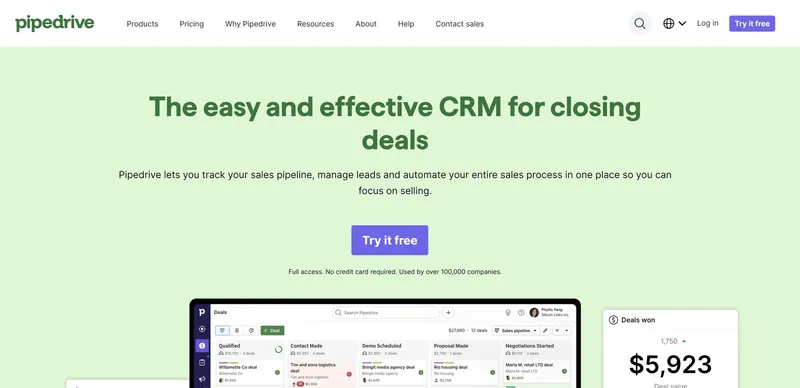
After Salesforce and HubSpot, this line-up wouldn’t be complete without the third big player in the world of sales CRMs: Pipedrive.
The company has been around since 2011, offering a simpler and more sales-focused alternative for small and medium-sized businesses.
Pipedrive made its first steps into the world of AI in April 2024, announcing “Pipedrive AI” and its “Sales Assistant”.
The “Sales Assistant” had been around for a bit, but now it was touted to be “AI-powered,” so I had to take it to the test.
Features & Testing
Here are the intelligent features Pipedrive offered and my experience with them:
- Notifications: After some extensive testing, I concluded that the “Sales Assistant” sidebar seemed more like a lightweight notification center with a built-in daily metrics report. I didn’t really experience it as an actual assistant, but maybe that’s merely a disconnect between the company’s future goal and the current status of its functionality.
- Next best action: The marketing materials for Pipedrive AI also focused strongly on a “Next best action” feature. After testing for a while, the assistant occasionally seemed to tell me to get in touch with a lead. Undoubtedly a handy feature for the busier salespeople out there. Positioning it as an AI feature seemed like a stretch to me, but – as mentioned previously, and apart from it being deceptive marketing – it’s better to judge features by their usefulness instead of by their technology.
- Draft emails: Pipedrive incorporated the possibility to draft emails using AI. They allowed me to set email tone and email length for every email. I personally would have liked to personalize them more, as the emails did not match my writing style nor seemed to have any knowledge of who I am. Also, any email replies or forwards did not seem to know about the previous email in the thread. The results were honestly not as good as what I’d get with ChatGPT.
- Summarize emails: While most other CRMs summarized full timelines, Pipedrive decided to do something odd: summarizing one email at a time. The summarization process took more time than me scanning the email myself, so it wasn’t terribly useful. Update: they later changed this to summarizing email threads. Why they wouldn’t summarize full timelines remains a mystery.
- Integration search and recommendations: When I typed “proposal documents” in their marketplace search then Pipedrive said “PandaDoc” was a good option. I failed to see how this was even an intelligence feature, but as it was an integral part of the “Pipedrive AI,” I decided to include it in this overview anyway.
- Create reports: This feature was added since my first round of research. It looked like it held some nice potential to help people build reports if they’re not fully aware of the possibilities or of how to do it. Unfortunately, the results I got were never fully on point, nor did it understand instructions that were a little less defined (like a user who doesn’t know the software 100% would write).
MCP / external AI assistants
Yes. Pipedrive offers MCP support and is listed in the ChatGPT app directory.
Pricing
At the time of writing, Pipedrive did not charge extra for its intelligence features. Instead, it offered these features (at least the actual AI features) on its Premium (formerly “Professional”) and Ultimate plans.
Pipedrive’s pricing on the Pro-level comparison plan (Pipedrive Premium plan) was:
- $59/seat/month (billed annually)
- $79/seat/month (billed monthly)
Independent review score
On G2, Pipedrive currently scores 4.3/5. See the G2 reviews.
Verdict
Pipedrive remains appealing because the underlying CRM is straightforward. Its AI features can save some clicks, especially around email and reporting, but in my tests they felt more like a useful convenience layer than a fundamental change to how the CRM works.
5. Zoho CRM
Best for: Businesses that want a very broad CRM feature set and extensive automation at a lower price than most enterprise platforms.
Main trade-off: More configuration and manual steps; useful predictions depend on sufficient data.
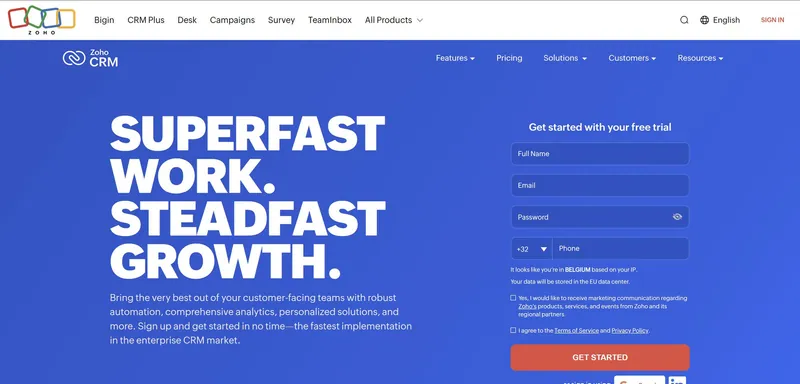
Zoho is another big player in the sales CRM space.
Well, not just in CRM, but in business applications in general, like software for emailing, accounting, HR, IT management, … You name it, they do it.
They launched their small business CRM product in 2005 and have historically been positioning themselves as a cheaper alternative to Salesforce. Based on that premise, they have built a relatively strong position in the small business market.
Zoho’s AI assistant called “Zia” has been around since at least 2017, so you could say they are veterans in the business.
My main concern however was in whether their CRM contains good data to build any useful AI features on top of. Here’s what I found.
Features & Testing
Here are the intelligent features Zoho CRM offered and my experience with them:
- Preferred contact moment: If you’re old enough to remember the Outlook add-in called “Xobni,” keeping track of when is the best moment to email a person is a feature with instant appeal. This is what Zoho promises to do: it’ll keep statistics about the moments specific people are most likely to call or email you. The caveat: for most leads you’ll miss that data. (Again, not a real AI feature, but useful nonetheless when it works.)
- Suggested macros: Zoho had this feature called macros, which after some deeper examination seemed to be what’s called “workflows” in most other CRMs. It claimed that it would suggest macro templates based on things I’d do routinely, but I did not use Zoho CRM enough to get any suggestions, so I can’t share much more about it.
- Data enrichment: Unlike in many other CRMs, the data enrichment actually worked and enriched records consistently. It did however require a lot of manual steps. To give you an idea: the easiest way seemed to be to click edit, then click “enrich data,” confirm the data, click “update,” and then “save”. I’m still unsure why it didn’t do it more automatically.
- Summarize emails: Like Pipedrive, Zoho made the odd decision to summarize individual emails instead of full timelines. Considering scanning an email takes only a second or two and gives me better insights, I would find it way more useful if they’d summarize the full timeline instead. Update: Like Pipedrive, they’ve extended this feature to summarize email threads. Again, why they wouldn’t summarize full timelines is a true mystery.
- Call transcripts: Setting this up first required integrating my telephone provider, which was quite a job, but it worked out in the end. The quality was ok, but it was not as good as I’ve seen in specialized services. I’d probably use one of those, as there are so many on the market that do a great job.
- Autofill fields: While Zoho calls it “Predictions” and “Predictive AI,” what it concretely seemed to do was guess the value of one predefined field using generative AI based on another field. In my tests, the results were a little flaky, but maybe using more extensive and more qualitative data it could do a better job.
- Chat interface: Just like I mentioned previously while testing HubSpot, despite the current hype, I don’t believe chat interfaces will replace visual interfaces, except in specific use cases, on the go, or when the normal user interface is unnecessarily overcomplicated. In the latter case, it may be better to fix the visual interface itself.
MCP / external AI assistants
Yes. Zoho CRM offers MCP support and is listed in the ChatGPT app directory.
Pricing
Zoho seemed to offer all its intelligence features on its Enterprise plan.
Zoho’s pricing on the Enterprise plan* was:
- $40/user/month (billed annually)
- $50/user/month (billed monthly)
To get a similar level of support as with other CRMs, it costs an additional 20% of your subscription fee to get Premium Support, so $48-60/user/month is in fact a more accurate pricing.
Independent review score
On G2, Zoho CRM currently scores 4.1/5. See the G2 reviews.
Verdict
Zoho gives you a lot of AI-adjacent and predictive functionality for the money. The trade-off is that the product can feel complex and some of the intelligence still depends on having enough clean data and doing more manual work than I would ideally want from an AI CRM.
6. Nutshell CRM
Best for: Small businesses that want a relatively simple CRM with built-in AI summaries and writing assistance.
Main trade-off: Noisy timeline data affected summary quality in my tests.
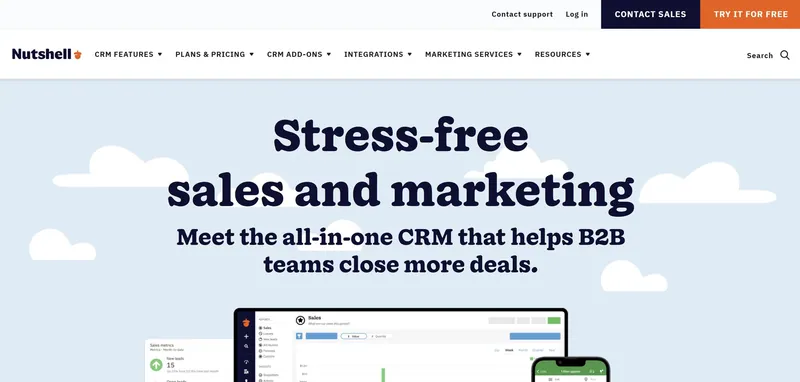
Nutshell is a CRM and email marketing platform for small businesses that was acquired in 2022 by a big digital marketing agency called WebFX.
It’s not really a big player, but it’s been around in the small business market for a while. And in August of 2023 they launched their “Power AI” plan.
I was interested to see what that AI power was all about, so that was how they ended up on this list of AI CRMs.
Features & Testing
Here are the intelligent features Nutshell offered and my experience with them:
- Summarize timelines: This worked for all timelines across people, companies, and leads. Based on my tests, this didn’t seem to work as well as in some other CRMs, but maybe that was particular to my exact tests. It may have been caused by a combination of flawed data enrichment, mistaking email newsletters for personal emails (hence including them in the summary), and an overly scripted summarization prompt… so not things I could impact. It brings home the point again that good AI can only work with good data.
- Summarize Zoom, Google Meet and Microsoft Teams transcripts: As a long-time Zoom user, this paid Nutshell feature confused me because… Zoom already provides great summaries as part of its cheapest paid plan, the Pro plan. Furthermore, the quality of the Zoom AI summaries has been getting pretty high lately (definitely as compared to Nutshell’s version). I’d think it would probably be handier for them to integrate those summaries, instead of rebuilding it on their end. Update: since my first research round they have added Google Meet and Microsoft Teams. The same questions remain however.
- Transcribe notes: You can talk to Nutshell using your microphone to take notes. Of course, you can also click the microphone icon on your phone’s keyboard for voice typing. You’ll get a faster and better result. In my testing it for instance missed a lot of basic punctuation.
- Write email replies: This feature was actually pretty nice. When I loaded a contact record and an email appeared, Nutshell would already go off and start writing possible replies, which it then would offer as 3 different options. The emails felt a little generic and I’m not sure whether I would end up using the suggestions, but it was a pleasant surprise.
MCP / external AI assistants
Yes. Nutshell offers MCP support. At the time of this update, I could not find Nutshell in the ChatGPT app directory.
Pricing
Nutshell offered its intelligence features across several plans, but its “Business” plan is the more relevant comparison point. It includes a larger monthly AI outcome bucket and more of the serious CRM functionality you’d expect in this comparison.
Nutshell’s pricing on the Business plan was:
- $59/user/month (billed annually)
- $67/user/month (billed monthly)
The Business plan included 100 AI outcomes/user/month. Nutshell now groups heavier AI features like call/meeting summarization, lead researching and scoring, and email campaign generation into these AI outcomes, while lighter AI assists such as text-to-speech note transcription, smart reports, and email reply suggestions are positioned as included helpers.
Independent review score
On G2, Nutshell CRM currently scores 4.3/5. See the G2 reviews.
Verdict
Nutshell has some pleasantly practical AI touches, particularly around summaries and suggested email replies. The biggest limitation I saw was that output quality can suffer when the underlying timeline data is noisy, which again underlines how important CRM data quality is for useful AI.
7. Freshsales
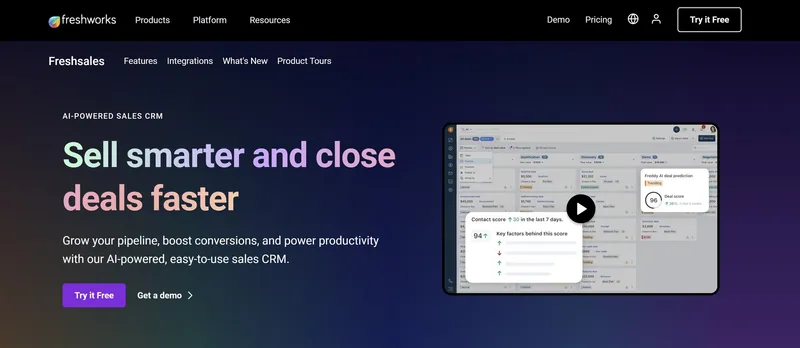
Best for: Teams that want lead scoring and deal insights inside an affordable sales CRM.
Main trade-off: Some insights were difficult to trigger or verify in my tests.
Freshsales is a sales CRM launched in 2016 by a company called Freshworks, which started in 2010 with a Zendesk alternative called Freshdesk.
The CRM product itself was touted to be a cheaper alternative to Salesforce, much like its competitors from the same city, Zoho, although a little more modern (and it’s not just me saying that – this is what they say in some of their Google ads).
In June of 2023, Freshworks launched “Freddy AI,” which at the time of writing could come in different forms: “Freddy Self Service,” “Freddy Copilot,” and “Freddy Insights”.
For the purpose of this comparison, I focused on the “Freddy” features for sales teams.
Features & Testing
Here are the intelligent features Freshsales offered and my experience with them:
- Lead scoring: On contacts, Freshsales shows a score that measures the engagement of a team with a contact based on their amount of emails, calls, and meetings as well as their subscription statuses. It seems to be relatively classic lead scoring, but, again, if it’s useful it doesn’t matter what technology is underneath the hood.
- Draft emails: Freshsales generates subject lines and email messages based on some initial input. Based on my tests, there was no real personalization going on and there was no real differentiation from using plain ChatGPT, apart from not having to copy and paste the text. And from having to pay extra for it of course.
- Possible duplicates: It seemed that Freshsales was going to show me possible duplicate companies. The idea is that Freddy looks at account name, website domain and email domain and flags likely duplicates. While trying to test it out, I created two companies with a very similar name (the same name was not allowed) and the same website. It didn’t detect any duplicate. Maybe I misunderstood how it’s supposed to work or its matching was just too conservative in my case, but I couldn’t make it do anything.
- Possible connections: I understood this as if Freshsales was going to tell me which contacts I had at a company. I created a contact in the CRM with an email address matching the company’s website and emailed it, but it did not suggest it as a possible connection.
- Deal insights: The premise is that Freshsales categorizes deals into “likely to close,” “trending,” “at risk,” and a few other categories. The help documentation explained that this is mostly based on spikes in activity, dips in activity, etc. No deal insights were generated during my testing, as probably I didn’t test it long enough.
MCP / external AI assistants
No. Freshworks’ official MCP server supports Freshdesk and Freshdesk Omni, not Freshsales. Freshsales is also not listed in the ChatGPT app directory. See Freshworks’ MCP documentation.
Pricing
While Freshsales offered most intelligent features on the Pro plan, some were only available on the Enterprise plan.
Freshsales’ pricing on the Pro & Enterprise plans was:
- Pro: $39/user/month (billed annually)
- Pro: $47/user/month (billed monthly)
- Enterprise: $59/user/month (billed annually)
- Enterprise: $71/user/month (billed monthly)
Independent review score
On G2, Freshsales currently scores 4.5/5. See the G2 reviews.
Verdict
Freshsales offers a respectable set of scoring and insight features at an accessible price. In my tests, however, several of the more intelligent features were difficult to trigger or verify, so I would choose it primarily because the wider Freshsales product fits your team, not for AI alone.
8. Streak
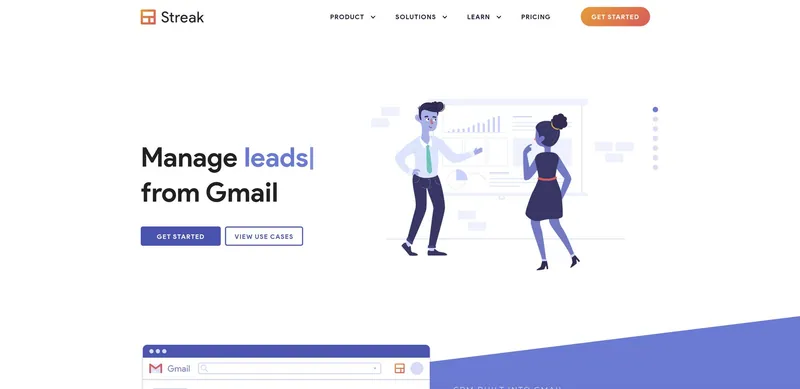
Best for: Gmail-centric teams that want CRM and contextual AI directly inside their inbox.
Main trade-off: AI was slow and sometimes unreliable in my tests.
Streak launched in 2011 as one of the first CRMs with a deep email integration, focused exclusively until today on Gmail users.
It initially found a lot of traction with its freemium model, but in March of 2024, it finally decided to kill off its free CRM plan, with its pricing now starting higher than most other small business CRM systems.
In December of 2023, they organized a big launch of Product Hunt of their “Streak AI” features, which caught my attention at the time.
I tested their intelligence features back then, and tested them again now. Let’s dig in.
Features & Testing
Here are the intelligent features Streak offered and my experience with them:
- Summarize timelines & ask questions about them: This was a relatively handy feature, although it did take very long to get results (probably using an older AI model). I also did get some hallucinations here and there, but less than in some other CRMs. Overall, it was quite useful to be able to digest long timelines quicker.
- Autofill fields based on the timeline: When I tested this feature, it was relatively underwhelming. First, autofilling was only available on click and after waiting quite a while (just like with the timelines). The suggestions that finally appeared seemed to be mostly hallucinations and it required a lot of manual verification to decide what suggestions to accept. I think I’d prefer filling the fields manually.
All other intelligent features were still marked “coming soon” at the time of testing. While Streak was relatively early with releasing AI, it seemed like since its development had been largely standing still, even during my latest research round.
MCP / external AI assistants
Yes. Streak offers MCP support and is listed in the ChatGPT app directory.
Pricing
Streak offered its intelligence features on its “Pro+” plan.
Streak’s pricing on the Pro+ plan was:
- $69/user/month (billed annually)
- $89/user/month (billed monthly)
Streak Pro+ currently includes 150 AI credits/user/month. Credits are shared across the team and used for features such as deal summaries, Q&A and autofill. Extra credit packs are available if you need more.
Independent review score
On G2, Streak currently scores 4.5/5. See the G2 reviews.
Verdict
Streak still has a uniquely convenient position for teams that live in Gmail. Its timeline summaries and Q&A can be useful, but my testing found the AI slow and sometimes unreliable, so it remains more compelling for its inbox-native workflow than for its AI maturity.
9. Microsoft Dynamics 365 Sales
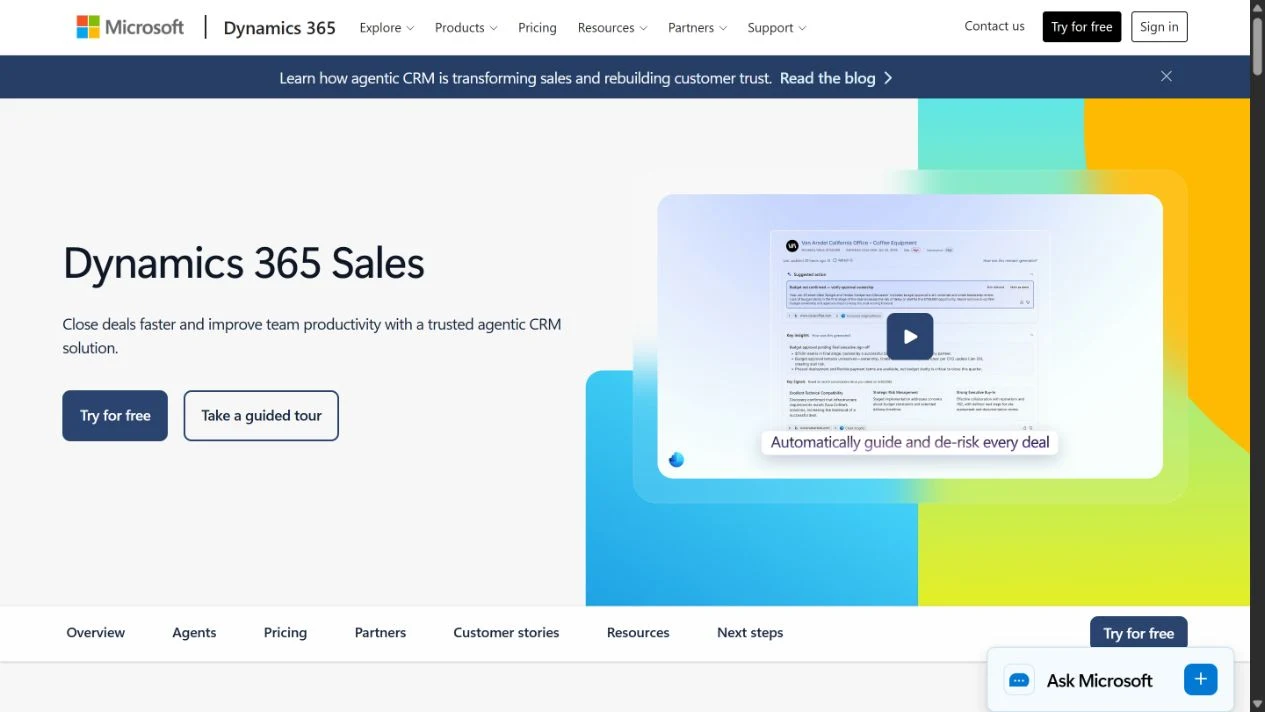
Best for: Teams using Microsoft 365 that want AI assistance within a configurable sales CRM.
Main trade-off: Useful AI depends on well-maintained CRM data, the right licenses and configuration.
Microsoft Dynamics 365 Sales is Microsoft’s sales CRM, built on Dataverse and connected to its wider Microsoft 365 ecosystem. Like Salesforce, it gives larger sales organizations room to tailor their records, processes and reporting.
Its Copilot features bring generative AI into that existing sales workspace: summarizing customer records, preparing for meetings and helping draft emails. That is a more focused proposition than treating the whole Dynamics suite as one AI product. I concentrated on those sales features in my testing.
Features & Testing
Here are the intelligent features Dynamics 365 Sales offered and my experience with them:
- Summarize accounts and opportunities: When I tested Copilot, I found it most useful for getting up to speed quickly. The summaries pulled the important information together without forcing me to work through every field and activity.
- Prepare for meetings: The meeting preparation was handy for refreshing my memory before a call.
- Draft emails: It was useful for getting a first draft on the page based on the CRM context, although I still wanted to edit the output before sending it.
Overall, the AI felt well integrated into the existing sales workflow rather than bolted on as a separate chatbot.
The obvious downside is that Copilot can only be as useful as the information Dynamics has to work with. There is a lot of potential here, but getting the CRM, Microsoft 365 data and configuration right remains an important part of the equation.
MCP / external AI assistants
Yes. Dynamics 365 Sales offers an official MCP server, but is not listed in the ChatGPT app directory.
Pricing
Dynamics 365 Sales includes the Copilot features above on its Sales Enterprise plan. Pricing on that plan is:
- $105/user/month (billed annually)
Dynamics 365 Sales offers a 30-day free trial.
Independent review score
On G2, Dynamics 365 Sales scores 3.8/5. See the G2 reviews.
Verdict
I would shortlist Dynamics for teams that want sales AI within the Microsoft ecosystem and have the resources to configure the CRM properly. Copilot can make existing customer context easier to use, but it does not remove the need to collect and maintain that context.
AI CRM Pricing Compared for a 10-Person Sales Team
AI pricing is getting harder to compare because some vendors bundle features into plans, while others use credits, add-ons or consumption pricing. To make the differences tangible, here is the approximate recurring starting point for a 10-person team at the plan level used above:
| CRM | Approx. recurring cost for 10 users | Important AI cost note |
|---|---|---|
| Salesflare | $290/month on Growth, billed annually | The intelligent features listed in my test are included; no separate Salesflare AI/MCP surcharge. |
| HubSpot | $900/month on Sales Hub Professional, billed annually | Plus $1,500 one-time onboarding. 3,000 HubSpot Credits are included; extra credits can add usage cost. |
| Salesforce | From $1,750/month on Enterprise, billed annually | Many AI capabilities require additional packaging or consumption. Agentforce 1 Sales is $550/user/month if you want the broad full-AI bundle. |
| Pipedrive | $590/month on Premium, billed annually | The core AI tools described above are bundled into Premium. |
| Zoho CRM | $400/month on Enterprise, billed annually | Premium Support adds 20%, bringing this to about $480/month if you want that support level. |
| Nutshell | $590/month on Business, billed annually | AI usage is governed by the outcomes included with the plan. |
| Freshsales | $390-$590/month on Pro or Enterprise, billed annually | Some intelligent features require Enterprise; Freddy AI Agent is priced separately by sessions. |
| Streak | $690/month on Pro+, billed annually | Includes 1,500 pooled AI credits/month for a 10-person team; extra credit packs are optional. |
| Microsoft Dynamics 365 Sales | $1,050/month on Sales Enterprise, billed annually | Includes the Copilot summaries, meeting preparation and email assistance described above; sales agents can add usage charges. |
This is meant as a comparable starting point, not a quote. AI consumption and negotiated enterprise pricing can change the actual total significantly.
The Current State of AI in CRM
With the rapid evolution of AI models, high expectations continue to build for AI to make new things possible across every type of software. This is no different for sales CRM software.
As CRM vendors feel the need to react quickly to these new expectations, they often add AI features that sound good in marketing but don’t actually provide significant value to their customers. Some may argue it’s “lipstick on a pig,” and I think they’re right.
Many of these AI features:
- Don’t improve the core usefulness of the CRM software.
- Don’t add more value than the standalone AI models.
- Overpromise and underdeliver.
After all, it’s nice that you can get an AI model to help you write emails, but it needs to be better than what you get in ChatGPT, Copilot for Microsoft 365, or Gemini for Google Workspace. Because otherwise, why pay another premium to your CRM software to get the feature?
There is no doubt in my mind, however, that every vendor will keep improving because I think everyone agrees that the introduction of AI will redefine software. (And no, not everything will become a chat interface. Visual interfaces are not dead.)
So, if we only seem to be at the start of the AI CRM journey, where are we actually going?
Where True AI CRMs Are Headed
In essence, CRM stands for Customer Relationship Management. And that’s what CRM software does: it helps you track, build, and manage customer relationships better at scale.
If you have only a few customers or less than 10 leads in your pipeline, you maybe don’t need CRM software. Your brain and a simple system to stay organized will do. But as you scale, good CRM software can help you track your sales in a much better way. You’ll build better relationships, better manage your sales, and make more revenue.
That’s also where AI can deliver the most value in CRM.
Here are some possible AI features I see that could help you track, build, and manage customer relationships at scale:
- Fill and update the CRM for you semi-automatically, so everything is properly tracked. This ranges from suggesting which companies, contacts, and opportunities to create to collecting all available information about them.
- Remind you to do important things when you’re forgetting to do them: following up with an important lead, replying to an email, adding a note to a meeting, etc. The CRM can be your second and improved brain.
- Summarize large amounts of information, so you don’t spend time reading and digesting it fully yourself. It can, for instance, summarize a history/timeline with a client, suggest next steps, and answer any questions you may have about it. Or it can summarize a call for you. Or summarize a relationship you’re having with a lead or customer.
- Categorize large amounts of information, like replies to email sequences. It can automatically categorize these replies, so you know who is interested, who is out of the office, etc. It could also assign a category to a company based on other info you have about that company.
- Find new high-quality leads for you. For example, it can detect your ideal customer profile and search for more leads that fit precisely.
- Write emails, so you spend less time thinking and typing. This is one of the most obvious use cases for generative AI, but so far nobody is doing this right. Or are we all going to send each other generic, salesy, and uninformed AI emails from now on? I hope not.
- Let the AI assistant you already use work with your CRM, through open standards such as MCP. Instead of forcing you into one vendor’s chatbot, the CRM can safely expose the right customer context and actions to tools like ChatGPT or Claude.
I see a future where salespeople can focus on having human interactions with customers. Where they can do what they do best: understand their fellow humans, bring them the right solutions, and get rewarded. And CRMs can do the rest.
At Salesflare, we’ve been working towards this future since 2014, laying the foundation by making it super easy to track everything in the CRM. And I’m hopeful we will make big strides toward it in the next few months and years.
It’s an exciting time to be alive.
FAQ
What is an AI CRM?
An AI CRM is a customer relationship management platform that uses artificial intelligence to automate tasks, analyze data, and provide intelligent suggestions. Instead of just being a database for customer information, an AI CRM actively helps your sales team work more efficiently. For example, Salesflare automatically captures contact and activity data to reduce CRM admin, then uses that relationship context for AI summaries, next-step suggestions and email writing.
Will CRM be replaced by AI?
No, CRM will not be replaced by AI. Instead, AI is enhancing and transforming CRM systems. The core function of a CRM – to be the central hub for all customer relationships and data – remains essential. AI acts as an intelligent layer on top of this foundation, making the CRM more powerful. AI takes over repetitive tasks and provides predictive insights, but the CRM structure is what gives the AI the data it needs to be effective. The future is a powerful combination of both.
Can we combine CRM and AI?
Absolutely. Combining CRM and AI is the new standard for high-performing businesses. The integration allows you to automate workflows, get smarter insights from your data, and personalize customer interactions at scale. For instance, Salesflare builds customer timelines from automatically captured emails and meetings, then uses that context for AI summaries, next-step suggestions and email writing.
Which CRM has the best AI?
The “best” AI CRM depends on what you need it to do. Salesforce offers broad enterprise tooling, but it can get expensive and complex quickly. HubSpot has some useful summarization and assistant features, but its email writing was not very personalized in my tests. For many small and medium-sized B2B sales teams, the best AI is the one that saves time every day without adding a big setup burden. That is where Salesflare is especially strong: it focuses on practical sales work like automatic data capture, timeline summaries, follow-up reminders, and email writing that can use real CRM context instead of producing generic text.
What is the future of AI in CRM?
The future of AI in CRM is moving toward more proactive systems: CRMs that understand customer history, keep your data up to date, suggest the next best action, and help you write better messages with real context. The trick is not to bolt a chat interface onto a database and call it innovation. The useful future is a CRM that quietly does more of the admin work, keeps the relationship context fresh, and helps salespeople spend more time on what humans do best: building trust. Solutions like Salesflare are already moving in that direction by combining automated CRM data input with contextual AI features for summaries, follow-up, and email writing.
What is the best AI CRM for sales teams?
For a small or medium-sized B2B sales team, my pick is Salesflare because it combines automatic CRM data capture with contextual timeline summaries, next-step suggestions, reminders and email writing. For a large enterprise that needs deep customization and governance, Salesforce is the more natural fit. If you want sales, marketing and service in one broad suite, HubSpot is worth considering.
Which AI CRMs support MCP?
Eight of the nine CRMs in this comparison currently support MCP: Salesflare, HubSpot, Salesforce, Pipedrive, Zoho CRM, Nutshell, Streak and Microsoft Dynamics 365 Sales. Freshsales is the exception. MCP availability is separate from being listed in the ChatGPT app directory. Nutshell, Freshsales and Dynamics 365 Sales are not listed in the ChatGPT app directory.
Can ChatGPT or Claude work directly with a CRM?
Yes. MCP can give ChatGPT, Claude and other compatible AI assistants access to CRM context and actions, depending on the CRM and your permissions. Eight of the nine CRMs in this comparison currently offer MCP support; Freshsales is the exception. Six of the nine are also listed directly in the ChatGPT app directory; Nutshell, Freshsales and Dynamics 365 Sales are not.
Which AI CRM writes the best sales emails?
In my testing, the biggest difference was not whether a CRM had an AI writing button, but how much useful context it supplied to the model. Salesflare could use the contact and account history, opportunity data, information about my company and my own writing style, so its emails were much more contextual. Nutshell also produced some pleasant reply suggestions. HubSpot, Pipedrive and Freshsales were less personalized in the tests I ran.
What is the best AI CRM for a small business?
It depends on the business. For a small B2B company with an active sales process, I would choose Salesflare because it reduces manual CRM work and uses the resulting relationship context for AI. Nutshell is another approachable small-business option. Pipedrive is a good fit if you mainly want a simple visual pipeline, while Zoho gives you more breadth if you are comfortable with additional complexity.


I hope you liked this post. If you did, spread the word!
👉 You can follow @salesflare on Twitter, Facebook and LinkedIn.