Pipedrive vs HubSpot: Which CRM Is Better for Your Sales Team?

A comparison of CRMs by 7 criteria, with user ratings and practical examples
Looking to make an informed decision between Pipedrive and HubSpot?
Pipedrive promises to make selling simpler. HubSpot promises to bring your sales, marketing and service teams together. Both sound useful, but they solve different problems.
Do you need a better place to manage deals? Or a platform that connects everything happening before and after the sale? And how much extra software, setup and ongoing administration comes with that choice? 🤔
We’ve brought together our hands-on findings, real user feedback and product documentation to compare the two on 7 criteria that matter to a small or medium-sized sales team. You’ll find a clear conclusion for each one below.
Pipedrive vs HubSpot: the short answer
Pipedrive is our recommendation for a team that mainly needs a simple, visual sales pipeline and straightforward follow-up. HubSpot is the better choice when connecting sales, marketing and service is central to the business.
That isn’t the same as saying that Pipedrive is better at everything. HubSpot offers a stronger connection between the inbox and CRM, a broader customer platform, and a slightly higher support rating. Pipedrive keeps the sales job more focused and offers a clearer path from basic pipeline management to paid sales automation.
| Criterion | Pipedrive | HubSpot |
|---|---|---|
| Best for | Sales teams managing deals and next actions | Businesses connecting sales, marketing and service |
| Ease of use | Focused, visual pipeline; a small lead in G2 ratings | Approachable interface, with more platform functionality to navigate |
| Administration | Fields, pipelines and workflows still need maintaining | Shared customer context, with administration across departments |
| Setup | Easier starting point for a standalone sales process | Straightforward basics; a broader rollout takes more coordination |
| Sync from Growth; tracking requires sending from Pipedrive | Connected inbox and sales extension for working from email | |
| Automation and reporting | Sales workflows, sequences and forecasts from Growth | Broader workflows and reporting across the customer platform |
| Integrations | Connects a sales CRM to your other business tools | Combines its own ecosystem with third-party apps |
| Support | Email and 24/7 chat; phone on Premium and Ultimate | Community on free; direct help with eligible paid seats |
| Pricing | $14–$79 per seat per month, billed annually | Sales Hub Professional: $90/seat/month annually + $1,500 onboarding |
Prices exclude local taxes. We’ll explain what a sales team actually gets for its money in the pricing section.
Methodology and sources
Our comparison combines three kinds of evidence:
- Our hands-on findings on how the products organize contacts, deals, activities and everyday sales work.
- User feedback, including G2’s Pipedrive reviews, G2’s HubSpot Sales Hub reviews and Stephen Sexton’s account of trying four CRMs side by side.
- Product documentation, linked alongside the plan details, email limitations and support terms discussed below.
The G2 excerpts come from small-business and mid-market users. We include praise and criticism, with a link to each review. Some reviews were collected through incentive or vendor campaigns; individual experiences illustrate the trade-offs rather than establish how every customer will feel.
We show G2’s individual criterion scores out of 10, which are different from its overall star ratings out of 5. HubSpot’s scores refer to Sales Hub, the relevant product for comparing sales functionality. Small differences in those scores should not be mistaken for a decisive advantage.
Here’s the structure of our Pipedrive vs HubSpot comparison:
- Ease of use: can you actually use it?
- Ease of administration: how easy is it to keep it up to date?
- Ease of setup: what does it take to get started?
- Meets requirements: does it do what it should do?
- Integrations: can you integrate it the way you expect?
- Support: do you get help when you need it?
- Pricing: what does it cost?
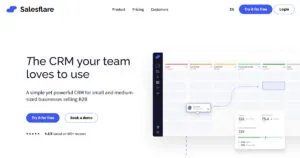
We understand that you’re comparing Pipedrive and HubSpot. We’ll also mention Salesflare where its automatic CRM upkeep, relationship data and Gmail/Outlook workflow offer a better fit for a small or midsize B2B sales team.
Enjoy 😁
Ease of use: can you actually use it?
The first question when choosing a CRM for your small business is whether your salespeople will use it. An impressive feature list won’t help if the team avoids opening the system.
Pipedrive makes its purpose clear. Deals sit in a visual pipeline, and activities help salespeople organize what to do next. In our hands-on comparison, moving between deals, people and organizations was relatively straightforward. The screens follow a similar pattern, with details and an activity timeline.
HubSpot is approachable too. Its contact records group information, interactions and related records into distinct parts of the screen. We found the basics relatively easy to understand, although navigating the broader platform takes more effort.
There is a practical reason for that difference. Pipedrive concentrates on the salesperson’s pipeline. HubSpot also serves the marketing and service teams around that salesperson. The extra navigation buys you a wider range of capabilities, but only helps if you need them.
G2 reviewers describe useful interfaces in both products, alongside some friction:
- “The training required for our staff is minimal because it's so intuitive.” (Pipedrive)
- “Certain parts of its interface are illogical and unnecessarily complicated.” (Pipedrive)
- “The interface is user-friendly, which makes it enjoyable to work with.” (HubSpot)
- “I find that using HubSpot Sales Hub can be a bit cumbersome due to the number of clicks required.” (HubSpot)
So this is a much closer comparison than Salesforce vs HubSpot. Neither product is universally confusing, and neither eliminates every unnecessary click.
Conclusion
We prefer Pipedrive for a focused sales workflow. Its G2 ease-of-use score is 8.8/10, compared with 8.7/10 for HubSpot. That is a small gap; the more important difference is how much of the wider platform your team will use.
If you want a focused sales CRM that also reduces the work of maintaining records, Salesflare goes further. It captures customer interactions automatically and scores 9.3/10 for ease of use.
Ease of administration: how easy is it to keep it up to date?
Using a CRM and keeping it accurate are two different jobs.
Someone needs to maintain the fields, pipelines, permissions and workflows. Salespeople also need the right contacts, conversations and next steps attached to each deal. A simple interface doesn’t automatically solve either problem.
Pipedrive can synchronize email and automate updates. That reduces repetitive work, but the quality of the pipeline still depends on how the team maintains it.
HubSpot’s shared customer records help when several departments work with the same prospects. Connected-inbox tools and workflows reduce manual logging too. As the platform spreads across teams, however, somebody has to manage properties, ownership rules, automation and data quality across that larger setup.
The reviews show both the benefit of automation and the work left over:
- “The visual deal pipeline gives an instant overview of where every sales opportunity stands, and automated workflow updates save our team significant manual data entry time.” (Pipedrive)
- “Keeping the platform current requires a significant amount of manual data entry.” (Pipedrive)
- “I like the Email plugin in HubSpot Sales Hub because there's no need to log emails manually.” (HubSpot)
- “I think HubSpot could do a better job of recognizing and flagging duplicate contacts and companies.” (HubSpot)
For example, a deal can look perfectly organized while the important conversation is still sitting in a colleague’s inbox. Having a pipeline is useful. Having the relationship history available to the whole team is what makes the next follow-up informed.
Conclusion
There is no clear winner on administration. Both score 8.6/10 on G2. Pipedrive keeps the scope narrower; HubSpot brings more departments together. Both still require someone to maintain the setup and its data.
This is where Salesflare offers a sharper alternative. It gathers contact details from emails and signatures, captures meetings and interactions, and builds a shared relationship timeline. Your team spends less time reconstructing what happened. Its administration score is 9.3/10.
Ease of setup: what does it take to get started?
Creating an account is easy. Getting your team to follow a useful sales process takes more work.
Pipedrive gives a small team a clear starting point: define the stages, import contacts and deals, connect email, and organize activities. You can build around the sales process without first deciding how several departments will share a platform.
HubSpot also makes a basic sales setup approachable. The project becomes larger when marketing handoffs, service processes, custom properties and reporting enter the picture. Onboarding and partner assistance can help, but those services belong in the implementation budget.
Neither product becomes a finished sales system the moment a spreadsheet imports successfully. Even a small team needs clear ownership, sensible stages and a shared understanding of what makes a deal ready to move forward.
User experiences reflect the difference between a simple starting point and a more involved implementation:
- “It was very easy and straightforward to set up a deal pipeline, set up some basic fields to keep track of, and set up some basic automation.” (Pipedrive)
- “It takes a lot of time to get it all setup correctly, however it's well worth it to get the most out of Pipedrive.” (Pipedrive)
- “I like the simplicity of HubSpot Sales Hub, and I found the initial setup to be pretty straightforward with a fast implementation time.” (HubSpot)
- “The initial setup was difficult; we even had to hire a third party, and it still didn't end up being set up in a way that was useful for new people coming on the team.” (HubSpot)
These examples aren’t promises about how long your own rollout will take. They show why the scope of the setup matters as much as the signup experience.
Conclusion
Pipedrive is the easier starting point for a standalone sales team. G2 scores it 8.7/10, versus 8.3/10 for HubSpot. HubSpot’s extra setup is easier to justify when connecting departments is part of the objective.
For a small B2B team, Salesflare offers a more automated start. Connecting an inbox starts bringing in interactions and suggesting contacts, so you don’t have to enter all that history before the CRM becomes useful. Salesflare scores 9.4/10 for setup.
Meets requirements: does it do what it should do?
Now, what should the CRM actually help your sales team do?
We’ll focus on three practical requirements:
- Following up leads and managing the pipeline.
- Working with email, including sync, tracking and sequences.
- Reporting on activity, opportunities and expected revenue.
Then we’ll look at how automation and AI support that work. 👇
1. Follow up leads
Pipedrive’s biggest strength is making the sales process visible. A salesperson can see where a deal sits and organize the next activity. A manager can spot stalled opportunities without first designing an elaborate reporting system.
HubSpot also manages deals and activities. Its advantage becomes clearer when a prospect moves from a marketing campaign to a salesperson and then to a service team. Keeping those interactions around shared customer records gives each team more context.
An agency with a small outbound team may get more immediate value from Pipedrive’s pipeline. A company investing heavily in inbound marketing has more reason to want HubSpot’s broader platform.
Here’s how users describe the practical benefits:
- “It allows us to instantly spot stalled deals and follow up with distributors before launch deadlines slip.” (Pipedrive)
- “From tracking emails and managing pipelines to automating follow-ups, it saves a lot of time and keeps the entire sales process organized and transparent.” (HubSpot)
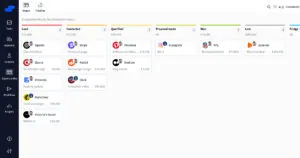
For relationship-driven B2B selling, Salesflare combines a visual pipeline with automatic contact and interaction capture. You get the deal overview without asking each salesperson to reconstruct the customer history by hand.
2. Email integration
For many B2B salespeople, email is where the customer relationship happens. The important question is how well the CRM fits around that work. 💌
Email sync and inbox access
Pipedrive’s email sync starts on Growth. It supports Gmail, Office 365/Outlook, Exchange and IMAP, with emails linked to CRM records automatically or manually. Conversations can be shared with colleagues or kept private.
HubSpot offers connected-inbox capabilities and a sales extension for working with CRM information from email. That is useful if you want to stay in your inbox while logging interactions and using sales tools.
Both can bring email into the sales process. These reviewers explain why that matters:
- “I like that my email Outlook ties in and I can email from it.” (Pipedrive)
- “The integration with Google Workspace, like Google Calendar and Gmail, is really useful for me.” (HubSpot)
Email tracking
Here is a meaningful difference: Pipedrive’s open and click tracking requires sending the message from Pipedrive. Synchronizing a message sent from Gmail or Outlook does not give it Pipedrive tracking.
Stephen Sexton identified that restriction while comparing the products, and it is explicit in Pipedrive’s tracking documentation. Pipedrive provides in-app notifications, but cannot identify which recipient opened a multi-recipient email. Opening a message in an external Sent folder can also generate a false open.
HubSpot’s sales extension brings tracking into the inbox workflow. That gives HubSpot an advantage for a salesperson who wants to send from email rather than move into a CRM composer. Tracking still needs interpretation: an open is an engagement signal, not proof that the buyer is interested.
Want that inbox workflow with less manual CRM upkeep? Salesflare brings email tracking and relationship context into Gmail and Outlook, alongside automatic contact and interaction capture.
Email sequences and automation
Pipedrive Growth includes automations and nurturing sequences. Its automation limits are 50 active automations on Growth, 150 on Premium and 250 on Ultimate, per company. Each automation supports up to 10 actions.
Automated email actions share a 40-per-minute company limit, in addition to the email provider’s limits. That matters when several people run automated follow-up from the same account.
HubSpot’s paid sales offering includes sequences among Front Office Seat features. Its free CRM is therefore not a like-for-like comparison with a paid Pipedrive setup that includes sales engagement.
Pipedrive is attractive when the job is organizing sales follow-up. HubSpot makes more sense when sales automation needs to connect with marketing and service processes as well. Buying the wider platform only pays off if the business uses those connections.
Salesflare Pro combines multistep email workflows with automatic CRM data capture. For a small B2B team, that connects the follow-up process with the relationship history it depends on.
3. Reporting capabilities
Pipedrive keeps reporting centered on sales activity and the pipeline. Growth includes forecast reports; Premium adds more customization for reports and data fields. That is a focused starting point for a manager looking at deal progress, activity and expected revenue.
HubSpot’s reporting becomes more valuable when the business uses shared sales and marketing data. Professional includes sales forecasting. A manager can connect reporting with a broader customer journey, although complex reports and custom processes still take work to configure.
The reviews illustrate why neither feature list tells the whole story:
- “I like the reporting and filtering capabilities as well as the customization options when building out pipelines.” (Pipedrive)
- “Reporting features still need work, they lack some features that can make deal tracking clumsy for anything more complex than a simple sales process.” (Pipedrive)
- “The dashboard and report functions are also quite effective, helping us centralize all our customer efforts and understand patterns better with the detailed dashboards and reports.” (HubSpot)
- “While the dashboards are clean, the reporting isn't always deep or flexible as we would want, especially compared to more advanced CRMs.” (HubSpot)
So we prefer Pipedrive for a straightforward sales overview and HubSpot when reporting needs to reflect work across departments. Neither should be treated as a substitute for a dedicated business-intelligence system in every use case.
For small B2B teams, Salesflare’s custom dashboards offer another practical option. They report on opportunities, activity and results using the customer history the CRM captures automatically, reducing the manual logging behind a useful sales overview.
Automation and AI
Pipedrive offers AI email tools, enrichment, meeting intelligence and report creation alongside its workflows. HubSpot combines workflows with Breeze and prospecting capabilities across its platform. Some HubSpot AI and automation usage is metered through Credits.
Those tools can help with writing, analysis and preparation. They don’t remove the need to maintain accurate customer information. An email draft is much more useful when the salesperson knows the relationship, the people involved and what has already been discussed.
Conclusion
Pipedrive is the better fit for focused pipeline execution. HubSpot offers the stronger combination of inbox-based sales work and a broader customer platform. G2’s “meets requirements” scores are close: 8.5/10 for Pipedrive, versus 8.6/10 for HubSpot.
For B2B teams concentrating on follow-up, email and relationship history, Salesflare combines those requirements with automatic data capture. Its Gmail/Outlook sidebars, tracking, email workflows and custom dashboards support the sales process without making manual CRM upkeep the team’s second job. It scores 9.1/10.
Integrations: can you integrate it the way you expect?
A CRM rarely works alone. Accounting, forms, marketing, calendars and customer support all need to fit around it.
Pipedrive’s approach is to remain a focused sales CRM and connect to other business tools. That makes sense when you already like your marketing or support software and mainly need a better place to manage sales.
Its Gmail add-on lets you view and edit contacts, deals, activities and notes, create records and insert meeting-scheduler links. Those are useful inbox capabilities. They don’t remove the tracking restriction discussed above.
HubSpot’s advantage is combining its own sales, marketing and service ecosystem with third-party integrations. When those departments use HubSpot together, fewer handoffs need to cross between separate platforms.
The catch is that a marketplace listing doesn’t mean every integration is ready to use without configuration. And a shared HubSpot account doesn’t mean every paid capability is included in the subscription.
Users describe both useful connections and extra work:
- “I like that it integrates well with several third-party platforms, such as Typeform and Zapier, which enhances my workflow.” (Pipedrive)
- “Some integrations require extra configuration or third-party tools.” (Pipedrive)
- “HubSpot connects well with tools we actually use, especially Outlook, Slack, and LinkedIn.” (HubSpot)
- “We find we need to put some custom connectors in place, and the concepts in HubSpot are a little bit different than other systems, requiring us to do extra work.” (HubSpot)
Conclusion
HubSpot wins when you want sales, marketing and service working together on one platform. Pipedrive is a better fit when your sales CRM needs to sit alongside tools you already use. The relevant integrations matter more than the size of either marketplace.
If Gmail or Outlook is your team’s main workspace, Salesflare’s particular strength is combining inbox access with automatic relationship data. You can work where the conversations happen while keeping a shared customer history available to colleagues.
Support: do you get help when you need it?
Support matters most when a problem stops your team from working.
Pipedrive includes email support and 24/7 live chat. Phone support is available on Premium and Ultimate to users with account-settings access. HubSpot ties direct support to eligible paid seats, with different channels at different tiers.
| Support channel | Pipedrive | HubSpot |
|---|---|---|
| Self-service help | Knowledge base and learning resources | Knowledge base and community, including for free users |
| Email and chat | Email and 24/7 live chat | Available from Starter with an eligible paid seat |
| Phone | Premium and Ultimate, with account-settings access | Professional and Enterprise with an eligible paid seat |
Sources: Pipedrive support and HubSpot support. Pipedrive’s English phone support runs Monday to Friday, 7 am to 11 pm CET/CEST.
Having a support channel and getting useful help are different things. These reviewers report both:
- “Customer support team has been generally strong” (Pipedrive)
- “I cannot have any access to a customer service rep other than chat unless I'm buying a very expensive system.” (Pipedrive)
- “Customer support is also really good, with helpful chat support as well as call and email support.” (HubSpot)
- “Customer support response times could be faster.” (HubSpot)
The important distinction is that HubSpot’s free CRM does not include the same access to help as its paid product. Pipedrive’s 24/7 chat is useful, but customers wanting phone access still need the relevant plan and permissions.
Conclusion
HubSpot has a small lead in support satisfaction, scoring 8.6/10 on G2, compared with 8.4/10 for Pipedrive. Pipedrive’s included round-the-clock chat remains a practical advantage for teams that prefer that channel.
If support is a deciding factor, Salesflare scores 9.7/10. It provides weekday live chat and email support, with video calls for team training and issues that are harder to resolve in chat.
Pricing: what does it cost?
HubSpot has a free starting point. Pipedrive has paid plans and a free trial. That makes HubSpot look cheaper at first, but the comparison changes when the team needs paid sales functionality.
A free contact database is not the same purchase as a sales setup with email sequences, forecasting and direct support.
Pipedrive pricing
Here are Pipedrive’s subscription prices, with annual billing:
| Plan | Per seat per month, billed annually | Five-user annual license cost |
|---|---|---|
| Lite | $14 | $840 |
| Growth | $39 | $2,340 |
| Premium | $59 | $3,540 |
| Ultimate | $79 | $4,740 |
Prices exclude local taxes. Monthly billing costs more.
For the requirements discussed above, Growth is the relevant starting point: it includes email sync, automations, sequences and forecast reports. Lite is cheaper, but it does not provide that same sales workflow.
Five Growth seats cost $195 per month equivalent, billed annually. Premium increases that to $295 per month equivalent, with more customization and phone-support access.
HubSpot pricing
HubSpot Sales Hub Professional costs $90/seat/month billed annually, plus $1,500 required onboarding. Enterprise starts at $150/seat/month billed annually, plus $3,500 required onboarding. These are the paid sales reference points for this comparison; a free contact database or Starter subscription does not include the same feature set.
| Sales Hub plan | Per seat per month, billed annually | Five-seat annual license cost | Onboarding |
|---|---|---|---|
| Professional | $90 | $5,400 | $1,500 required |
| Enterprise | $150 | $9,000 | $3,500 required |
For five Professional seats, that is $6,900 in the first year including required onboarding, before taxes, additional hubs, usage credits or implementation services. Five Enterprise seats total $12,500 in the first year including required onboarding. HubSpot’s product and services catalog specifies these mandatory fees. Marketing Hub contact-based charges are separate from Sales Hub’s seat price.
Five Pipedrive Growth seats cost $2,340 per year. HubSpot Professional costs more, but connects sales work to a broader customer platform. That is less compelling when a small sales team mainly needs an inbox, a pipeline and reliable follow-up.
What goes into the total cost?
Pipedrive add-ons such as Campaigns, Projects and Web Visitors can increase the bill. HubSpot’s wider marketing and service setup, onboarding and credit-based usage can do the same.
Then there is your team’s time. A subscription that looks inexpensive can still cost a lot if maintaining the CRM takes hours away from selling. Equally, paying for a broader platform can make sense when it replaces several separate tools and the work of connecting them.
Value depends on what the team actually uses, as these reviewers explain:
- “Really great value for the price, everything you need in a CRM and good feature comparison to higher-priced competitors” (Pipedrive)
- “price increases and add on prices for most things” (Pipedrive)
- “For a small business especially it offers a good comprehensive toolset and ease of use with affordable starting prices.” (HubSpot)
- “I need to really step up our use of it to make it worthwhile.” (HubSpot)
Conclusion
Pipedrive offers the clearer budget for a focused, paid sales setup. HubSpot’s free starting point is useful, but does not represent the cost of its full sales platform. HubSpot becomes more attractive when the business benefits from its wider ecosystem.
For another reference point, five users on Salesflare Pro cost $245 per month billed annually, or $320 on monthly billing. Pro includes automatic CRM data capture, Gmail/Outlook sidebars, multistep email workflows, permissions and custom dashboards. Additional lead credits are priced separately.
That puts Salesflare Pro between Pipedrive Growth and Premium on annual billing for five users. The reason to choose it is the combination of sales functionality and automatic CRM upkeep, especially when your team sells B2B and works from its inbox.
Final verdict: Pipedrive vs HubSpot, which CRM is best for small businesses?
Choose Pipedrive if the main job is managing a sales pipeline and following up deals. Its focus, easier setup and clearer paid-plan pricing make it our recommendation for a standalone sales team.
Choose HubSpot if sales, marketing and service need to work together on one platform. Its broader ecosystem and inbox-based sales tools are meaningful advantages when those connections are part of the buying decision.
The G2 scores show how close these products are on several criteria. Neither wins across the board:
| G2 criterion, out of 10 | Pipedrive | HubSpot Sales Hub | Salesflare |
|---|---|---|---|
| Ease of use | 8.8 | 8.7 | 9.3 |
| Ease of administration | 8.6 | 8.6 | 9.3 |
| Ease of setup | 8.7 | 8.3 | 9.4 |
| Meets requirements | 8.5 | 8.6 | 9.1 |
| Quality of support | 8.4 | 8.6 | 9.7 |
If you want Pipedrive’s sales focus and a deep Gmail/Outlook workflow, with less manual work keeping the CRM accurate, Salesflare is the alternative we recommend for small and midsize B2B teams. Automatic contact and activity capture, shared relationship history and email workflows address the work a pipeline alone doesn’t solve. 👈
For the wider shortlist, see our Salesforce, HubSpot, Zoho, Pipedrive and Salesflare comparison.
Read the other dedicated comparisons: Salesforce vs HubSpot, Salesforce vs Zoho, Salesforce vs Pipedrive, HubSpot vs Zoho and Pipedrive vs Zoho.
Frequently asked questions
Is Pipedrive better than HubSpot?
For a standalone sales team prioritizing a visual pipeline, straightforward follow-up and simpler setup, we recommend Pipedrive. HubSpot is the stronger choice when sales, marketing and service need to share a platform. Their G2 ratings are close, so the fit matters more than a narrow score difference.
Is Pipedrive cheaper than HubSpot?
HubSpot has a free starting point, while Pipedrive starts at $14 per seat per month on annual billing. For a paid sales setup with email sync, sequences and forecasts, Pipedrive Growth costs $39 per seat per month, or $2,340 a year for five users. HubSpot’s comparable cost depends on tiers, seat types, onboarding and usage; its free offer does not include the full paid sales workflow.
Which works better with Gmail and Outlook?
HubSpot has an advantage for inbox-based selling because its sales extension brings CRM tools and tracking into email. Pipedrive supports email sync from Growth, but open and click tracking requires sending from Pipedrive. Salesflare is a strong alternative when the priority is inbox-based work combined with automatic contact and relationship data.
Can Pipedrive and HubSpot support a growing team?
Yes. Pipedrive adds more automation capacity, customization and security in higher tiers. HubSpot expands across sales, marketing and service with more advanced features and controls. Pipedrive stays focused on sales; HubSpot supports a broader customer platform. Both require more administration as the setup becomes more complex.
What if we want less manual CRM work?
Both Pipedrive and HubSpot automate parts of the sales process, but their users still report data-maintenance work. Salesflare is built around automatically gathering contact details, emails, meetings and relationship history for small and midsize B2B teams. That makes it particularly relevant when keeping the CRM up to date is the main frustration.
Want a sales CRM that keeps itself up to date? Try Salesflare for free.
Want to discuss how these differences apply to your team? You can reach us through the chat on salesflare.com. We’re here to help 😄


We hope you liked this post. If you did, spread the word!
👉 You can follow @salesflare on Twitter, Facebook and LinkedIn.