Work Your Way

An even more personal experience
Everyone works just that little bit differently. Customized to the way their customers want to be treated.
This update makes your Salesflare experience a tad more personal again.
Without further ado, let’s dive right in. 👇
Sort anything the way you like it 🙌
Want to see your accounts alphabetically? Your opportunities by value? Or your contacts by creation date?
That’s all possible now. ✨
Just click this button:
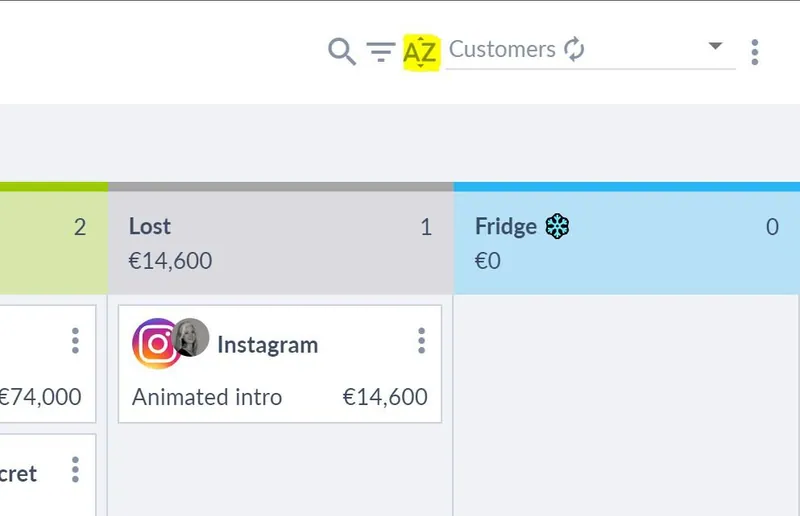
And start sorting.
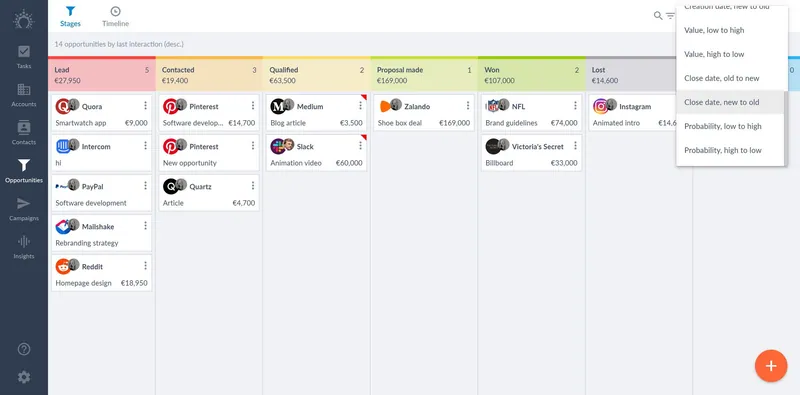
It’s that simple 😄
Add lead source & lost reason options on the fly ⌨️
Don’t want to head to the Settings every time you want to add an option to the list of lead sources or lost reasons?
No problem. We made that super fast. 🏎️
Add an option straight from where you are.
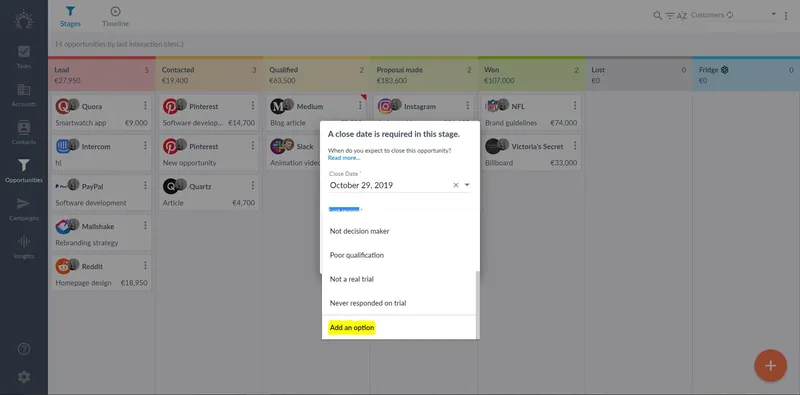
Actually, this works for all dropdown type custom fields now!
Note: Just like before, you can only add options when you’re an admin.

Get a better view on your meeting notes 👀
We noticed that people were leaving their meeting notes as internal notes in the timeline, because meeting notes were not visual enough.
That’s why we’ve given meeting notes a more prominent place.
You can now see a preview of them without even opening the meeting.
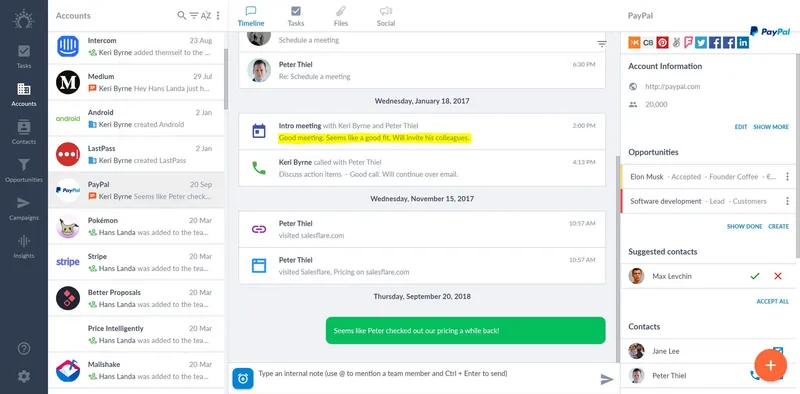
Still need to add notes?
Just click the button and type or paste them in right after.
Many more improvements and bug fixes
We fixed the bugs you reported, upped the performance in some places, tweaked some app flows, and much more. As always, keep the feedback coming through the live chat — we thrive on it! 😍
Coming up next… 🥁
- Your email templates, right in Gmail 💌
- Use email aliases when sending emails 📨
- Email workflows 😲 (it’s a huge feature, so it’s taking a bit longer)
Ready to power up your sales? Give Salesflare a try.
We’re an easy-to-use sales CRM for small B2B companies that’s chock-full of automation and always up to date!
We hope you liked this feature update. If you did, follow us on social media!
👉 You can follow @salesflare on Twitter, Facebook and LinkedIn.